Vim Extensions on PE Hosts
CS2030S provides a minimal set of vim extensions (i.e., plugins and color schemes) officially. At the beginning of the semester, students can install the same set of extensions following the vim setup procedure. The same set of official extensions will be made available during the practical exams.
Students are free to install any additional color schemes or plugins if they wish. These additional extensions, however, are not allowed and will not be available during the practical exams.
The following are the officially supported vim extensions in CS2030S. Follow the instructions in our article Setting Up Vim to install them.
Color Schemes
We provided three color schemes in ~cs2030s/.vim/colors.
The three color schemes are:
You can change your vim color scheme using the :color command. For instance,
1 | |
You can add the line color gruvbox (without :) to your ~/.vimrc so that the color scheme is loaded at the start of every vim session.
Some color schemes display differently depending on whether the background is set to dark or light
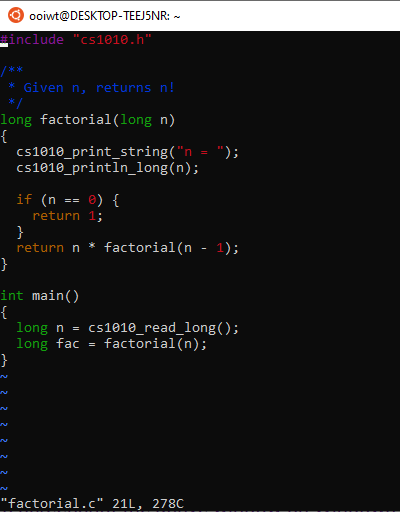
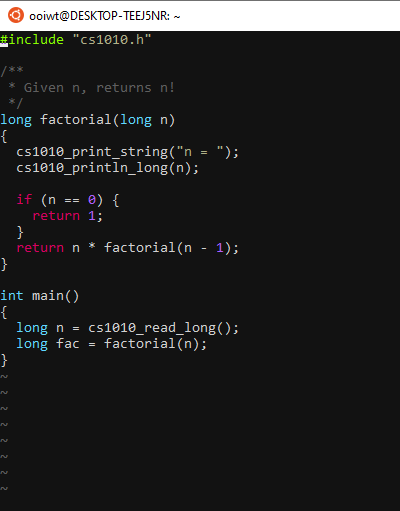
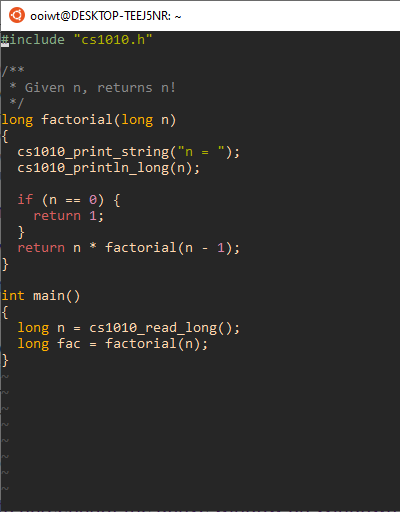
Some examples, with set background=dark in ~/.vimrc:
The Vim default color scheme:
The molokai (CS2030S default) color scheme:
The gruvbox color scheme
Plugins
We support two plugins for CS2030S.
Airline
The Airline plugin, which provides an informative status bar in vim.
Syntastic
The plugin syntastic automatically checks for syntax and style errors every time a file is saved (when you run :w).
The syntastic configuration in the CS2030S ~/.vimrc has been made to work with your PE hosts.